First connection
- Open Settings and add a connection: a name, the base URL and the API key for your provider. Any OpenAI compatible API works.
- Under Agents, pick the model for the Architect, the Developer and the Reviewer.
If something is missing on your machine, the Getting started window tells you what.
First project
- Create a project. It becomes a folder in
~/NantsProjects, with Git. - In Conversation, describe what you want to build.
- Answer the Architect, read the Plan and approve it.
- Follow along on the Board. When it is done, open the App and try it.
To open Nants and the app on your phone, see Use it from your phone.
The windows
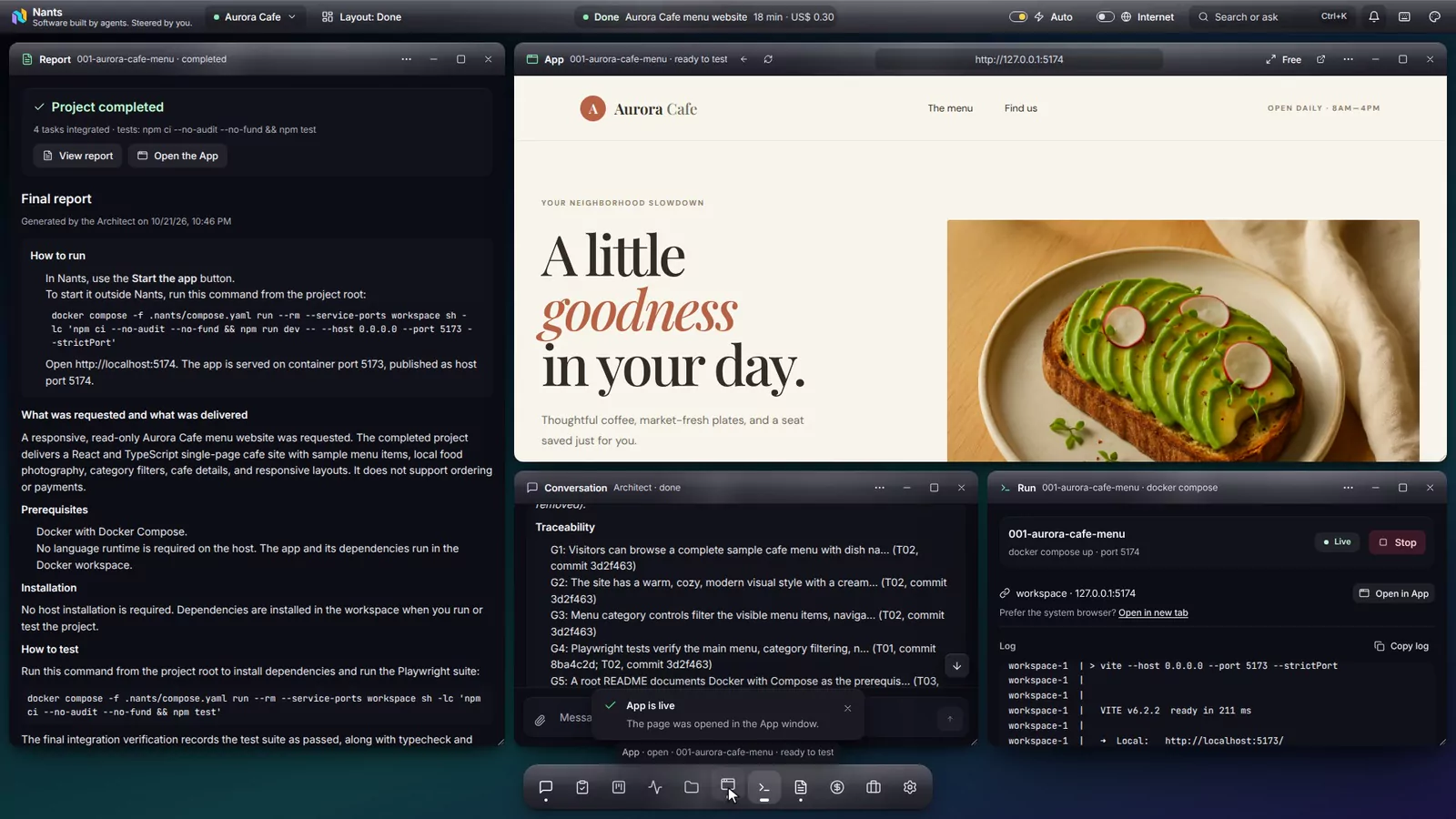
Conversation
You and the Architect.
Plan
The tasks, reviewed before any work starts.
Board
Every task, from queue to delivery.
Activity
What each agent is doing right now.
App
Your app running, ready to try.
Costs
What each part cost.
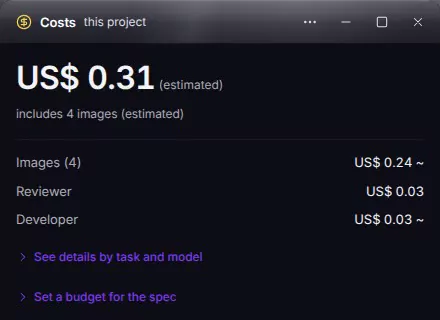
Costs
The Costs window shows the project total and the cost per task, per agent and per model, as it happens. You can also set a budget.
Figures are estimates based on each model's price. Your provider does the actual billing.
Where your data lives
~/.config/nants- Settings and connections, including your API keys.
~/.local/share/nants- History, logs and costs.
~/NantsProjects- Your projects, each with its own Git repository.
Everything stays on your computer. Only the agents' requests go to the AI provider you chose.